Log Into Your biy22 Account
Your biy22 login connects you to live casino tables, cricket and football betting markets, and slot rooms — all in one place.
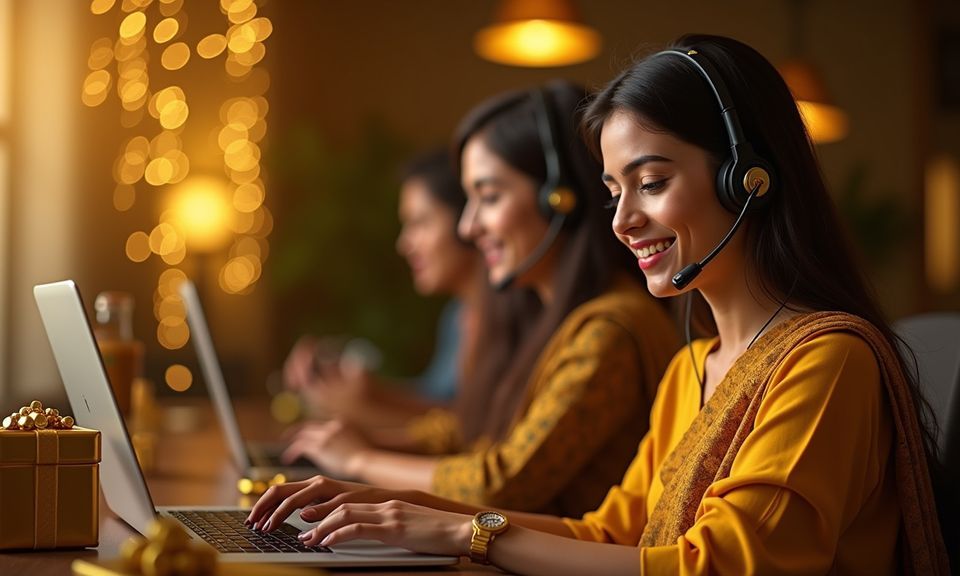
Help With Your biy22 Login
If your login fails — wrong password, expired session, or an OTP that did not arrive — our account support team handles it through three channels. Most login issues are resolved by a password reset link sent to your registered email or phone. For wallet-linked problems, where a deposit appears but the balance has not updated after login, the live chat team can trace the transaction using the reference number from your bKash, Nagad, or Rocket app.
Live Chat
Available from the login page itself. Describe your access issue and the team checks your account status and wallet link without you needing to be logged in.
Email Support
Send your registered email address and a description of the login problem. Account recovery and verification questions are handled through this channel.
Password Reset
Use the forgotten-password link on the login screen. A reset code goes to your registered number or email, and you set a new password immediately.
What Happens When You Sign In
The biy22 login form asks for the mobile number or email you registered with, followed by your password. If you have two-step verification switched on, an OTP arrives on your registered number — enter it to confirm your identity and the lobby opens. First-time account creation follows a short registration path: choose a username, set
a strong password, and link your preferred wallet method. Once inside, the account dashboard shows your wallet balance, recent activity, and active deposit or withdrawal requests. The support chat link sits in the bottom corner of every page, so if the login page throws an error — a wrong password or an unrecognised device —
help is a click away. Account credentials are stored encrypted, and session tokens expire automatically when you close the browser or stay inactive.
-
OTP Verification A one-time code sent to your registered number confirms every login from a new device, keeping your account accessible only to you.
-
Wallet Pre-linked Your bKash, Nagad, or Rocket number saved during registration means deposits clear directly to the wallet you use every day.
-
Account Dashboard After login, your dashboard shows current balance, pending transactions, and a direct path to the sports or casino lobby without extra navigation.
-
Support on Every Page The account help chat is visible from the login screen, so you can raise a password reset or access issue before you even get inside.
Account
The biy22 login form asks for the mobile number or email you registered with, followed by your password. If you have two-step verification switched on, an OTP arrives on your registered number — enter it to confirm your identity and the lobby opens. First-time account creation follows a short registration path: choose a username, set a strong password, and link your preferred wallet method. Once inside, the account dashboard shows your wallet balance, recent activity, and active deposit or withdrawal requests. The support chat link sits in the bottom corner of every page, so if the login page throws an error — a wrong password or an unrecognised device — help is a click away.
Open Your AccountYour details are encrypted for secure account access.
How biy22 Protects Your Login
Account security on biy22 runs through several layers that work together from the moment you open the login page. SSL encryption covers every data exchange between your device and our servers. Identity checks at the withdrawal stage confirm that the wallet number matches the one registered on your account. Session management automatically logs you out after a period of inactivity, so a shared or forgotten browser session does not leave your account open. Your personal data — name, phone number, wallet details — is stored under our data protection policy and is not shared with third parties outside the payment verification process.
SSL Encryption
Every login request travels over an encrypted connection. Your password and wallet details are never transmitted in plain text between your browser and our servers.
Identity Verification
Before a withdrawal is processed, our system checks that the bKash, Nagad, or Rocket number matches the one linked at registration to your account.
Session Timeout
Inactive sessions expire automatically. If you step away from the browser without logging out, the account closes itself and requires a fresh login to reopen.
Data Protection
Your account data is held under our privacy terms. Wallet numbers and personal details are used only for account operations and payment verification.
Local Payments Tied to Your Login
Your payment methods attach to your account at registration, so the moment you log in, your wallet is ready to move funds. bKash, Nagad, and Rocket are the three local rails we work with in Bangladesh. Open any one of those apps, send to the account number shown in your deposit screen, confirm with your PIN, and the balance reflects in your biy22 wallet. Withdrawals follow a short identity check — the system matches the wallet number to the one saved on your account profile before releasing funds.
Common biy22 Login Questions
These are the questions we hear most from people trying to access their biy22 account for the first time or after a long gap. If your question is not here, the live chat team on the login page can help directly.
biy22 Login
Service availability depends on eligible regions and local law. Users should check local rules before opening an account.
Access may be available only where local law permits.